Finance has been one of ChatGPT's most consistently adopted professional use cases since its launch. The reasons are obvious: financial work involves a lot of text (documents, policies, reports, contracts) and structured reasoning, which a large language model handles well. But most users are still at 20% of what's possible. They ask a question, get an answer, and close the tab.
This guide covers the full range, from the simplest things you can do today with no setup to serious automation that replaces manual workflows. At each level, we introduce the ChatGPT capability that unlocks it and give you concrete use cases to try.
Level 1 — Just Chat: Instant Access to Financial Knowledge
The first level requires nothing but a question. No files, no setup, no technical knowledge. ChatGPT was trained on an enormous volume of financial, accounting, legal, and tax content.
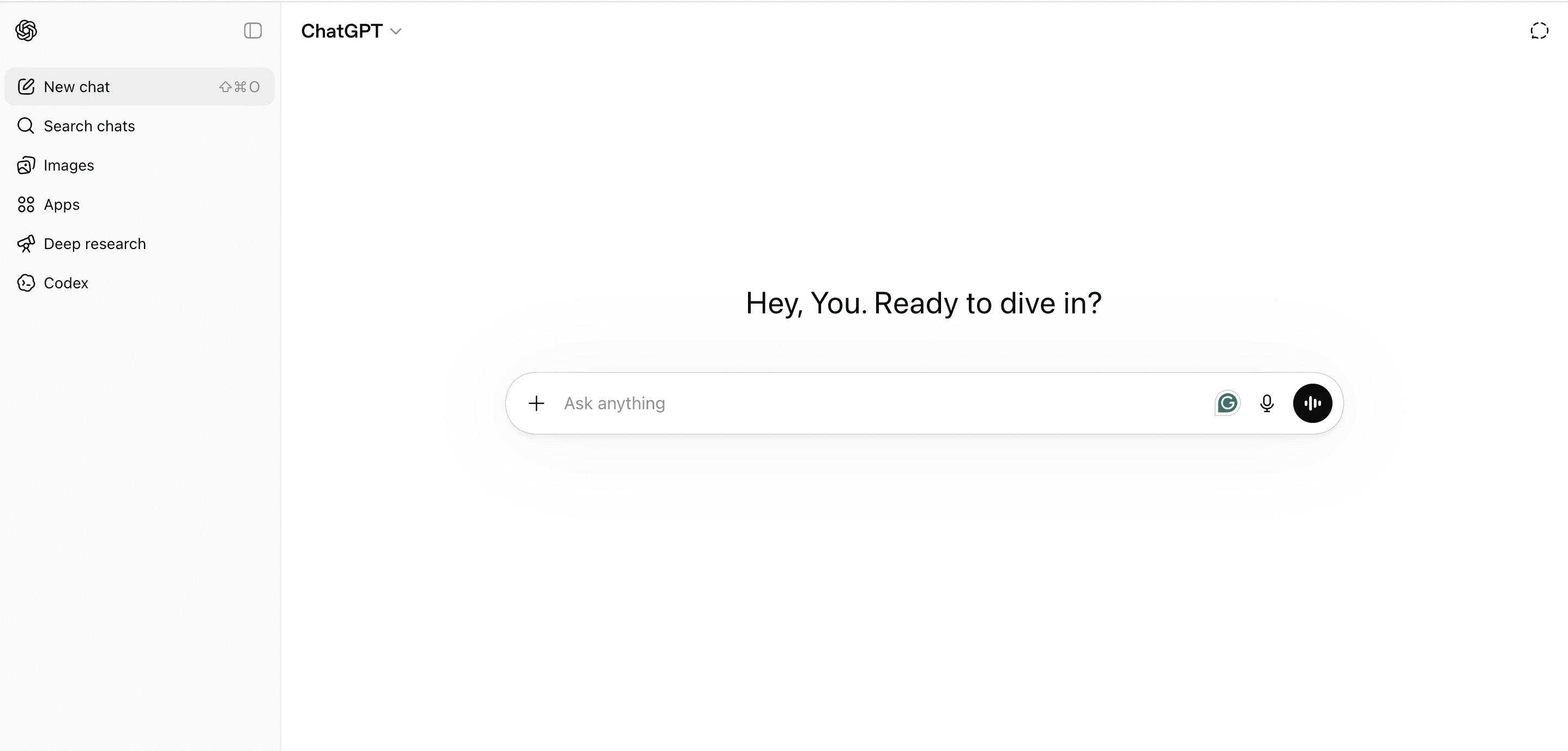
The most useful things you can do here:
- Ask tax and deductibility questions: What's deductible for a home office? How does VAT reclaim work in the UK? Are client meals 50% or 100% deductible in the US? What are the receipt retention requirements in my jurisdiction? Questions that used to mean a call with an advisor or an hour on a government website.
- Understand accounting concepts: What's the difference between gross margin and contribution margin? What does a negative working capital mean? How does revenue recognition work under IFRS 15? ChatGPT explains accounting concepts clearly, at whatever level of depth you need.
- Think through a financial decision: Should I offer net-60 payment terms to a large client? When does it make sense to hire a CFO versus outsourcing? What are the cash flow implications of switching to annual billing? ChatGPT reasons through trade-offs rather than just returning a fact.
- Draft financial communications: Investor updates, board memos, payment dispute letters, vendor negotiation emails, audit response letters. Describe the situation and what you want to achieve; ChatGPT handles the language.
- Prepare for a meeting with your accountant or advisor: Describe your situation, ask ChatGPT what questions to ask, what documents to bring, and what decisions you should be ready to make. You show up more prepared and use the time better.
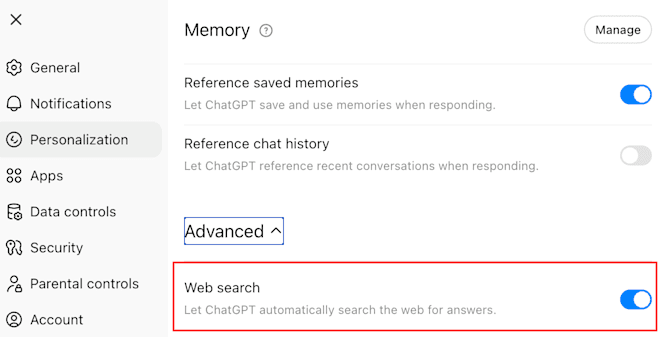
- Look up live regulatory and compliance information. With web browsing enabled, ChatGPT can pull current tax rates, updated mileage reimbursement limits, VAT thresholds, or filing deadlines directly from source. Instead of searching yourself and triangulating across articles, you get a synthesized answer with the relevant figures. To enable the Web Search function, you can go to Settings > Personalization > Advanced > Web Search:
One important caveat. Large-Language Models (LLMs) work by predicting the most statistically likely next word based on their training data. It can also browse the web when that feature is enabled, but it does not verify answers against a live authoritative source. Multiple studies have shown strong LLM performance on finance and accounting questions, often comparable to a junior professional. That said, tax rules change, jurisdictions vary, and for anything consequential, treat the output as a well-informed starting point and confirm with a qualified professional.
At this level, the answers are also general by nature: ChatGPT responds from broad knowledge, not from your actual expenses, your vendors, or your transaction history. The following levels change that progressively.
But if you want to query your own financial data conversationally right now, tools like Receiptor AI already do this: the Ask AI feature lets you ask questions directly about your own documents, "What did I spend with AWS last quarter?" or "Which categories grew most this month?", with answers grounded in your real receipts and invoices.
Level 2: Connect Your Data: Analysis on Your Actual Numbers
At this level, ChatGPT stops answering from general knowledge and starts reasoning about your actual numbers. There are two ways to do this.
Upload a file for one-off analysis. Attach a CSV, Excel file, or PDF and ChatGPT runs real calculations on it using a built-in code execution environment. Not just a text description of the data: actual analysis, charts, and data transformation.
What you can do:
- Spend analysis from a bank or card statement: Upload a CSV and ask for a breakdown by category, top vendors, monthly trends, and any recurring charges that look unused or redundant.
- Budget variance analysis: Upload budget vs. actuals and ask ChatGPT to identify the biggest gaps, distinguish structural issues from one-offs, and surface the questions to bring to each department.
- Cash flow forecasting: Provide your revenue, burn, and growth assumptions and ask ChatGPT to model runway across multiple scenarios. Refine assumptions conversationally without rebuilding from scratch.
- Contract and invoice data extraction: Upload a PDF and extract payment terms, renewal dates, line items, and escalation clauses in structured form.
- Chart and report generation: Ask for a spend breakdown as a bar chart, a revenue trend as a line graph, or a formatted table ready to paste into a board deck.
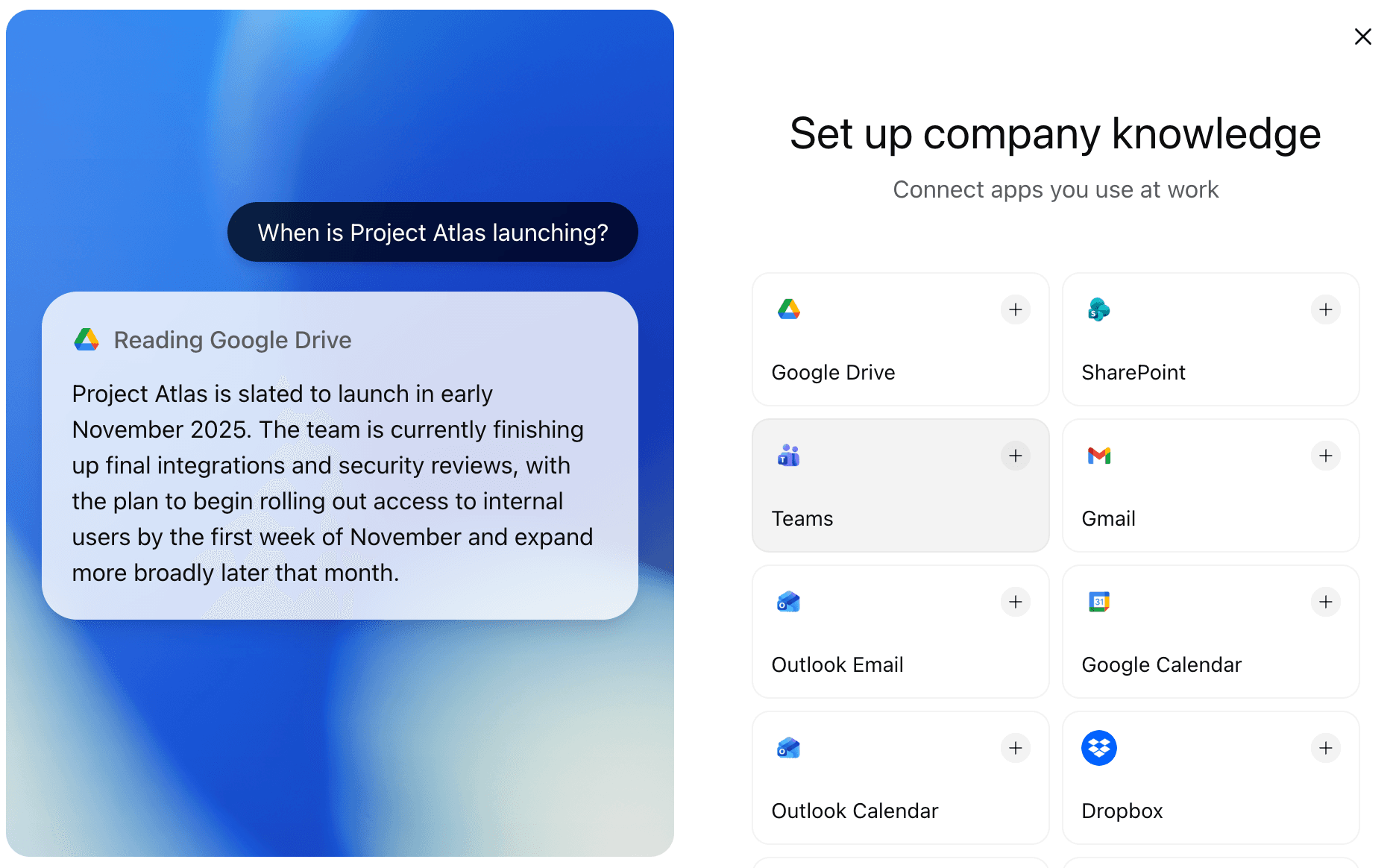
Connect your work apps with Company Knowledge. Rather than uploading files manually each session, Company Knowledge lets you connect Google Drive, SharePoint, Teams, Gmail, Outlook, Dropbox, and other work tools directly to ChatGPT. Once connected, ChatGPT can pull from those sources in any conversation. You can ask "What is the status of our Q2 budget?" and it reads your actual documents to answer.
For receipt and invoice analysis specifically, the limiting factor at this level is that the data still has to be somewhere organized and accessible. Receiptor AI handles that upstream step: it captures your financial documents automatically from your inbox, structures the data, and keeps it ready for analysis on demand, so there is always a clean, current dataset to work with.
Level 3: Custom GPTs: Building Your Own Finance Assistant
A Custom GPT is a version of ChatGPT that you configure yourself, preloaded with your company's context, categories, policies, and preferred output format. Anyone on your team uses it without needing to know how to write a prompt.
What finance teams build with Custom GPTs:
- An expense categorization assistant: Load it with your chart of accounts and expense policy. Team members paste transactions and get them sorted against your actual categories, with flags for anything out of policy. Consistent output every time, no training required.
- A financial reporting assistant: Pre-load your report format, tone guidelines, and standard commentary structure. Whoever owns the monthly close pastes the numbers and prepares a first-draft management report for review.
- A tax preparation assistant: Load your business type, jurisdiction, and common expense categories. Use it before your quarterly accountant meeting to organize questions, sanity-check deductions, and understand what documentation to bring.
- A vendor evaluation assistant: Pre-load your evaluation criteria, budget thresholds, and standard questions. Paste any vendor proposal to get a structured assessment with built-in negotiation flags.
If you want this level of customization applied to your receipt and invoice workflow specifically, Receiptor AI works in two layers. First, you provide the setup context: your business information, chart of accounts, business entities. From there, it also learns from how you actually manage documents: which vendors get coded to which accounts, how you label documents or handle duplicates, and what gets flagged for review. Over time, those patterns become standing automations. You are not maintaining a prompt; you are correcting behavior that gets more accurate with every document it processes.
Level 4: Automation: Connecting ChatGPT to Your Workflows
This is where ChatGPT moves from a tool you use to a participant in your automated systems. Several distinct capabilities make this possible:
- API and integration platforms: Via the ChatGPT API and tools like Make or Zapier, you can trigger ChatGPT as part of a larger workflow: a new spreadsheet row, an email arriving in a specific folder, a form submission. Use cases include automated monthly report generation, spend alert summaries posted to Slack when thresholds are crossed, and invoice notifications routed to the right approver.
- Frontier models for complex financial reasoning: OpenAI's most capable models handle multi-step reasoning tasks: analyzing a full financial statement for signs of stress, identifying inconsistencies across a set of documents, or working through a multi-variable sensitivity analysis. For tasks requiring both reading comprehension and quantitative reasoning, these models meaningfully raise the quality ceiling.
- MCP (Model Context Protocol): An open protocol that lets AI models connect directly to external data sources and tools: databases, APIs, accounting software, internal systems. As MCP adoption grows, ChatGPT-powered workflows can query live financial data, pull from your ERP, or write back to your systems directly. It is the technical foundation for the most sophisticated ChatGPT automation, and worth understanding even if you are not implementing it today.
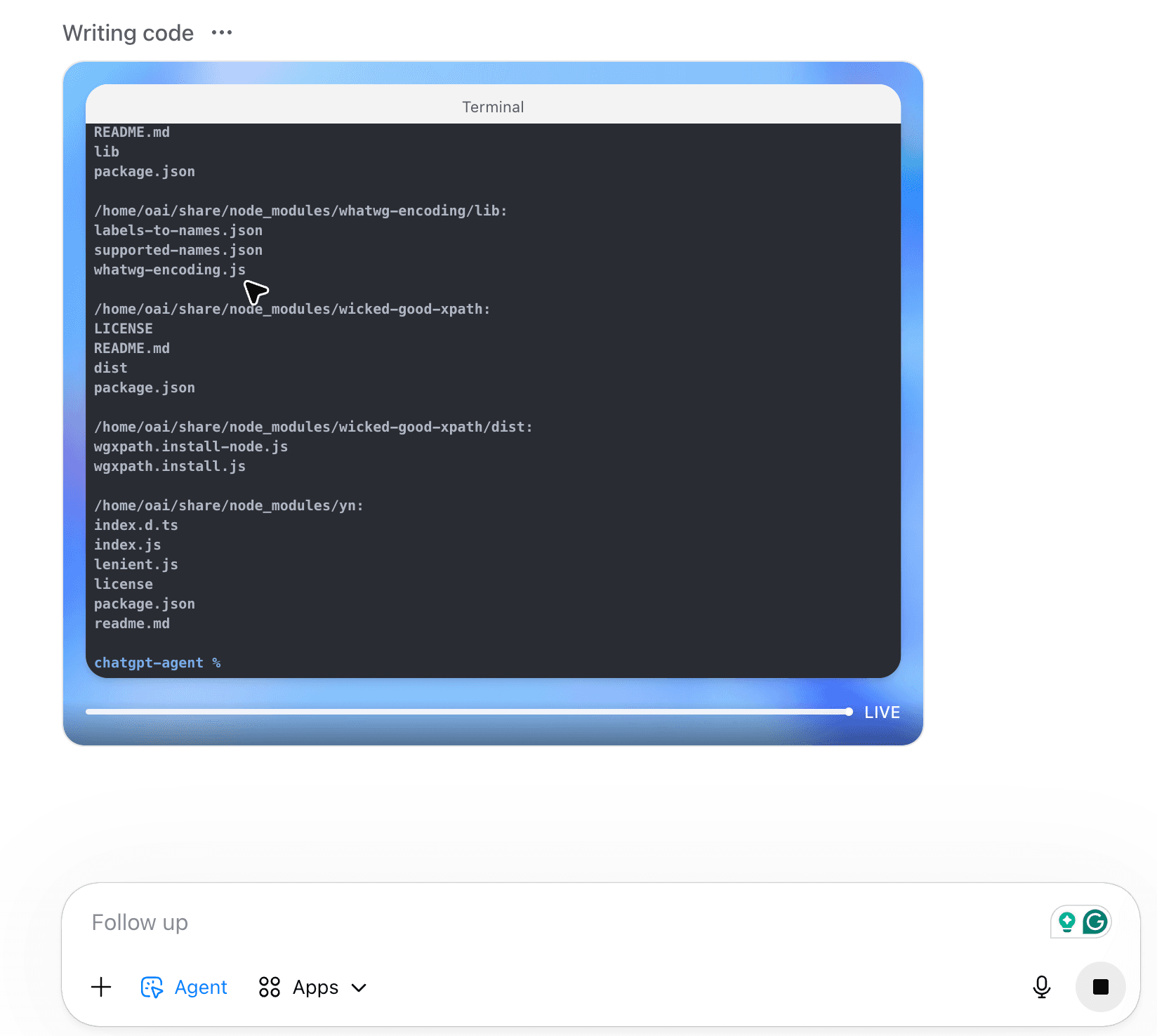
- ChatGPT Agents: The most autonomous mode available today. You give the agent a task, and it figures out the steps: browsing, writing and executing code, reading files, calling tools.
For the bookkeeping workflow specifically, Receiptor AI operates at this same automation layer, already pre-integrated and pre-configured. It connects to cloud storage (Google Drive, Dropbox), posts directly to QuickBooks Online and Xero through native integrations, and runs scheduled exports on whatever cadence you set. You define it once; the documents flow where they need to go without anyone pressing a button.
When ChatGPT Isn't Enough: The Case for Specialized AI Agents
ChatGPT is a general-purpose reasoning engine. That is its greatest strength and also the source of its limits for specific, high-stakes professional workflows.
For financial document automation (capturing receipts and invoices, extracting structured data, coding to a chart of accounts, managing duplicates and entities, and pushing clean records into accounting software), the case for a specialized agent is clear:
- Setup: Connecting ChatGPT to your inbox, building reliable extraction logic, handling edge cases in document formats, and wiring everything into QuickBooks or Xero is a real engineering project measured in weeks. Receiptor AI connects in minutes and comes with accounting software integrations already built.
- Extraction accuracy. Because Receiptor AI is built for a specific task, the AI model and the extraction algorithm have been customized for that task. Focusing on a narrow problem means every edge case in document extraction has been accounted for: unusual formats, multi-language documents, multi-currency invoices, line-item detail, tax breakdowns, and entity identification. A general-purpose model handles all of these as best effort. A purpose-built system is engineered so none of them slip through.
- Workflow built for the job: A ChatGPT interface is designed for conversation. Receiptor AI is designed for the way finance teams process documents: reviewing extracted data, approving categorizations in bulk, managing exceptions, giving access to your accountant or advisor, setting routing rules, etc.
- Customization that adapts: In a ChatGPT workflow, customization is a prompt you write and maintain. In Receiptor AI, it is a system that learns from your behavior and turns those patterns into standing automations over time.
- Accounting-grade integrations: Native QuickBooks and Xero integrations built for accounting workflows. Data maps to the right fields, coding follows your chart of accounts, and the sync is reliable across software updates.
The right question is not "can ChatGPT do this?" Often, the answer is technically yes. The right question is whether a general-purpose tool is the right instrument for a workflow that runs every day, handles financial data, and needs to be reliable without ongoing engineering attention. For the bookkeeping and receipt automation workflow, a specialized agent wins.
