Finds documents without manual forwarding
- With Receiptor
- Automatic discovery across connected sources
- Manual workflow
- Depends on someone remembering
- Generic OCR
- Waits for an upload

Bookkeeping that keeps itself
Receiptor watches every place your documents show up, categorizes them for your business, and files them into your books with the original attached. Nothing to forward. Nothing left behind at month-end.
Always-on capture
Email, WhatsApp & iMessage
Originals always attached
Any language or currency
Xero, QuickBooks & exports
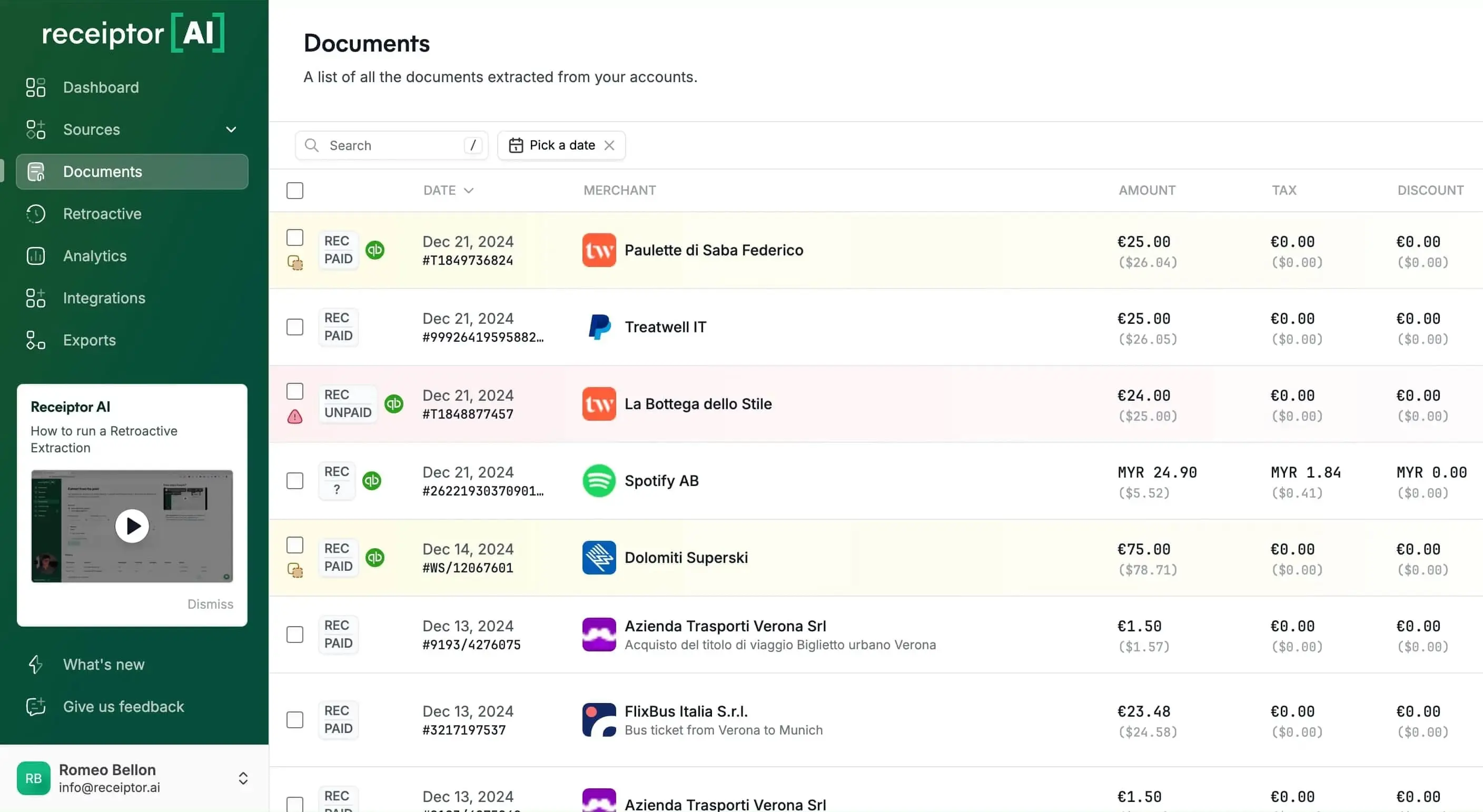
Run one business or several. Receiptor keeps documents moving from every source into the right books, without the tax-time scramble.
See how it worksStop chasing clients for missing documents. Start every reconciliation with cleaner records and the original receipt or invoice attached.
Explore Receiptor for accountantsReceiptor is the capture and workflow layer above your accounting system. It keeps the supporting documents and the bookkeeping data moving together.
Link Gmail, Outlook, any IMAP inbox, WhatsApp, or iMessage. Upload anything else in bulk.
It finds receipts and invoices, extracts the data, assigns the right business, and categorizes against your chart of accounts.
Publish to Xero or QuickBooks with the original attached, or send the files to Drive, Dropbox, email, CSV, PDF, or ZIP.
Some receipts need a human answer: who attended, which client it was for, or whether an ambiguous expense should be archived. Receiptor turns that blocker into a focused WhatsApp or in-app question, then uses the reply to finish categorization and inform future decisions.
A receipt is extracted, but the business purpose is not obvious enough to categorize confidently.
A focused question is sent through WhatsApp or the in-app review queue.
The context is saved with the document and used to complete categorization.
Request for context
What was this €128 expense at Hotel Aurora for?
I am not confident whether it belongs in Travel or Client Meals.
Manage a company and a subsidiary, a shop and a rental portfolio, or several client entities without sorting the shared inbox by hand.
See the multi-entity workflowReceiptor identifies which legal entity each document belongs to, even when they share an inbox.
Assign each entity its own Xero, QuickBooks, or custom chart of accounts so categorization uses the right books.
Use the entity in filters and automation rules to set fields, report, store, or export accordingly.
Compare your options
The difference is not another OCR model. It is a workflow that finds the documents, applies your context, and keeps going when a real bookkeeping decision is needed.
Start Free TrialWhat customers say after switching to Receiptor AI
Business owners use Receiptor to backfill missing records, reduce weekly admin, and send cleaner books to their accountants.
“Wait... you read my email?”
Here's exactly what we access (and don't). Your emails stay in your inbox—we never move, delete, or modify them.
Learn more in our Privacy Policy.
Frequently asked questions
Connect Gmail, Outlook, another IMAP inbox, WhatsApp, or iMessage, and Receiptor looks for messages, attachments, and links containing financial documents. You can also upload files directly or in bulk.
Yes. You can scan an earlier period to recover receipts and invoices you already received, then keep collecting new documents automatically.
Receiptor extracts details such as the supplier, date, currency, total, tax, document number, and line items when available. It can then categorize the document using the business and accounting setup you provide.
Yes. You can configure multiple legal entities, give each one its own accounting context, and let Receiptor assign, filter, automate, and export documents per entity. If you need complete separation, you can also use multiple workspaces.
Receiptor can create a focused context request instead of guessing. You can answer in the app or through WhatsApp, and the workflow resumes with that context. Saved categorization preferences and workspace memories can also inform future decisions.
Receiptor can publish documents to Xero or QuickBooks with the original attached. It can also organize them in Google Drive or Dropbox, forward them by email, or export them as CSV, PDF, or ZIP files.
Receiptor uses your connection to find financial documents. It does not move, delete, or modify your messages, and unrelated email content is not stored. Our use of Google data follows the Google API Services User Data Policy, including its Limited Use requirements.
Receiptor previously completed a CASA Tier 2 assessment through the App Defense Alliance. Security assessments are point-in-time reviews, so we do not present an expired assessment as a current certification. Contact us for the latest security review materials, or learn about the framework on the CASA developer site.
Yes. Receiptor provides an MCP server so supported AI tools such as Claude, ChatGPT, Cursor, and n8n can work with your receipts and invoices through approved Receiptor capabilities. See how Receiptor works with AI agents.
It closes the gaps between capture and the books.
Most tools automate one step and leave the handoffs to you. Receiptor keeps the document, accounting context, and destination connected from arrival through export.
See how it worksInput sources
 Google account
 Microsoft account
Outputs
 QuickBooks
 Xero
Xero Expensify
 Google Drive
Publish to Xero or QuickBooks with the original document attached, route files to Drive or Dropbox, forward by email, or export CSV, PDF, and ZIP.
Receiptor finds receipts and invoices in messages, attachments, and embedded links across every connected source.
Categorize against your own chart of accounts using purchase context, entity, and prior decisions.
Identify which business a document belongs to, apply that entity's accounting context, and route it accordingly.
Run on arrival or a schedule to categorize, set fields, archive, store, notify, and export without repeating the setup.
| Airbnb | Receipt | -$540 |
| Shopify | Refund | +$120 |
| +1,246 more docs | ||
Backfill previous months or years in one run, then keep collecting new documents continuously.